Sensor Mouse1.4
Publisher Description
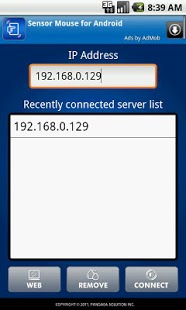
The SensorMouse App is the mobile application that provides the mouse function and controls the media players and presentation tool by using the Android.
The SensorMouse App provides three operation mode.
★★ The first mode is the mouse mode that provides the mouse function by using the Gyro-sensor and touch-pad.
★★ The second mode is the media mode that controls various media players.
★★ The third mode is the powerpoint mode that controls the presentation tool. This mode provides the additional function, such as zoom-in/out.
Features:
- Gyroscope sensor based mouse controller
- Trackpad(mouse wheel is available)
- Keyboard(Use keyboard button)
- Forward/Back button
- Media remote(Gomplayer, KMPPlayer, VLC media player, etc.)
- Presentation remote(Powerpoint, Keynote)
- Zoom in/out
Requirements:
- Windows 2000/XP/2003/Vista/7
- MAC OS X 10.5/10.6
Provides remote control capabilities for programs.
★ Web browser:
- Safari, firefox, MS Internet Explorer
★ Media player:
- Windows : Gomplayer, KMPplayer, DaumPotPlayer, Windows media player, Winamp
- MAC : VLC media player
★ Presentation:
- Windows: MS Power point
- MAC : Keynote
View our demo video and screenshot.
http://pangaea1.blog.me
※ Call phone, GPS permissions for Ads.
About Sensor Mouse
The company that develops Sensor Mouse is PangaeaSolution Inc.. The latest version released by its developer is 1.4. This app was rated by 4 users of our site and has an average rating of 2.3.
To install Sensor Mouse on your Android device, just click the green Continue To App button above to start the installation process. The app is listed on our website since 2012-12-13 and was downloaded 2,412 times. We have already checked if the download link is safe, however for your own protection we recommend that you scan the downloaded app with your antivirus. Your antivirus may detect the Sensor Mouse as malware as malware if the download link to PangaeaSolution.SensorMouse is broken.
How to install Sensor Mouse on your Android device:
- Click on the Continue To App button on our website. This will redirect you to Google Play.
- Once the Sensor Mouse is shown in the Google Play listing of your Android device, you can start its download and installation. Tap on the Install button located below the search bar and to the right of the app icon.
- A pop-up window with the permissions required by Sensor Mouse will be shown. Click on Accept to continue the process.
- Sensor Mouse will be downloaded onto your device, displaying a progress. Once the download completes, the installation will start and you'll get a notification after the installation is finished.
Program Details
System requirements
Download information
Pricing
Version History
version 1.4
posted on 2012-12-13
Small bug fixed.,Server program bug fixed.
version 1.1
posted on 2011-04-21
Several fixes and updates
